
Start with Your Use Case
Whenever something goes wrong on the network, the first move is always a packet capture. But after the capture, the typical path looks like this: open Wireshark → stare blankly at thousands of packets → search "what does tcp retransmission mean" → give up half an hour later and fall back on guesswork.
The problem isn't that Wireshark isn't powerful — it's that its strengths often don't match the problem you're facing right now:
- You're a security engineer hunting for C2 communication and malicious domains in the traffic → what you need is threat detection, not protocol dissection;
- You're in ops and a business system is timing out → what you need is to quickly pinpoint whether it's DNS, the TCP handshake, or a slow server response;
- You're at a customer site with nothing but a phone and a pcap file → you need to inspect it anytime, without installing a 500MB desktop suite.
The value of a tool isn't measured by the length of its feature list, but by the distance from "I have a capture" to "I know where the problem is".
Core Capability Comparison
| Dimension | Wireshark | PcapDecoder |
|---|---|---|
| Platform | Desktop-first (Win/macOS/Linux), with only peripheral tools on mobile | Mobile-first, with desktop support as well |
| Protocol coverage | 3,000+ protocols, the most comprehensive in the industry | Full coverage of common protocols (TCP/UDP/DNS/TLS/QUIC/HTTP/SIP/RTP/routing protocols, etc.) |
| Learning curve | Requires understanding display filter syntax and coloring rules | Zero configuration — open a file and get conclusions |
| Security detection | Relies on the Expert menu and manual rules | Built-in threat fingerprints, DGA scoring, DNS tunneling detection, Beacon detection |
| Attack chain reconstruction | Manual timeline assembly | Automatically generated attack timeline |
| Forensics | Export objects, statistics | SHA-256 file fingerprints + certificate chain validation |
| Report output | Relies on plugins or manual compilation | One-click PDF/CSV export |
| Data privacy | Local | Fully local parsing; traffic never leaves the device |
Three Things PcapDecoder Does Uniquely
1. Security triage, done the moment you open the file
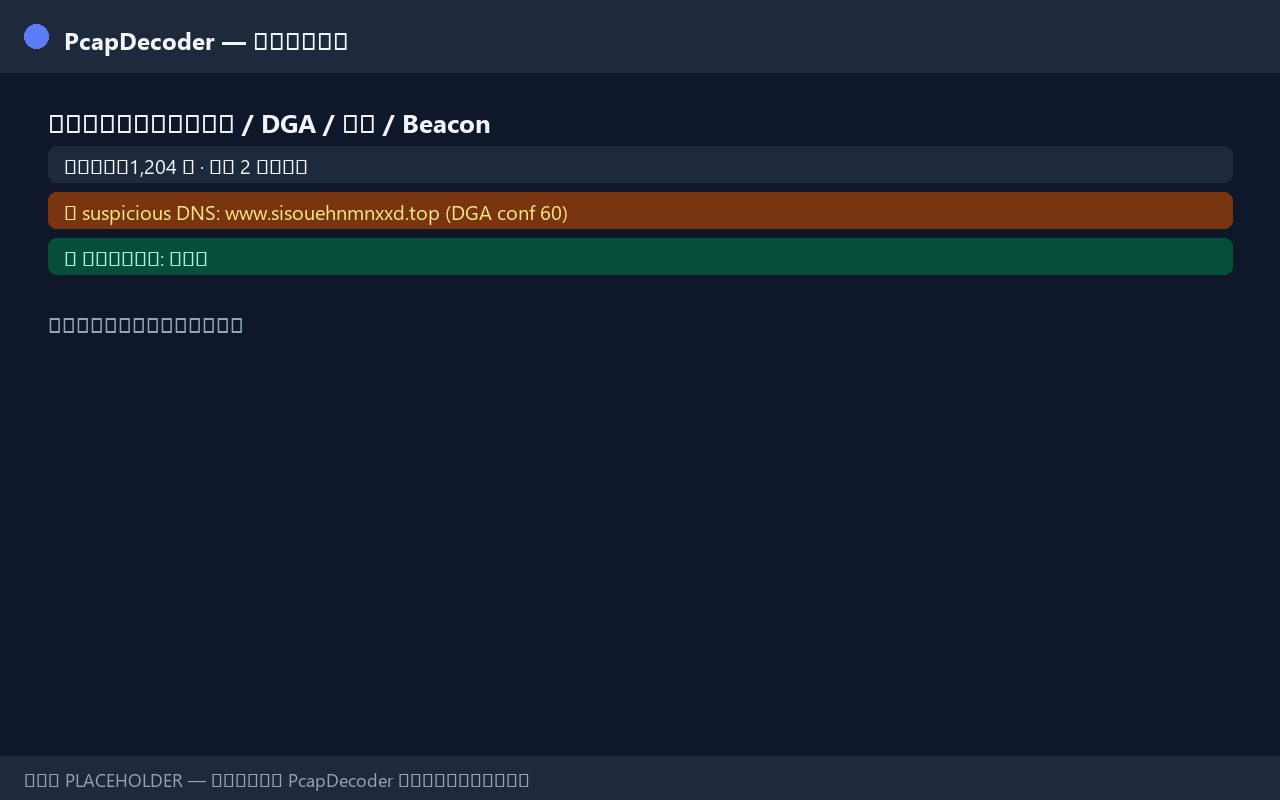
Wireshark shows you "protocols"; PcapDecoder also tells you "what this means." Once parsing completes, deep scan automatically runs threat fingerprint matching, DGA domain scoring, DNS tunneling scoring, and Beacon rhythm analysis — what you get isn't a raw packet list, but a list of suspicious items.
2. Automatic attack chain reconstruction
The most valuable thing in a security incident isn't a single packet — it's "what happened first, and what happened next." PcapDecoder's attack timeline chains DNS queries, HTTP requests, and exfiltration activity in chronological order, annotating the risk level of each step.
3. Built for mobile scenarios
When troubleshooting in the field, a phone is often all you have. PcapDecoder packs the full parsing engine into mobile: layered protocol details, hex view, and statistics charts, all running locally — customer traffic never goes to the cloud.
How to Choose by Scenario
| Your scenario | Recommended tool | Why |
|---|---|---|
| Protocol development, new protocol debugging | Wireshark | 3,000+ protocols and dissectors are irreplaceable |
| Deep TCP debugging (windows, SACK interactions) | Wireshark | Expert info and sequence number analysis are the most detailed |
| Day-to-day troubleshooting (slow, dropped, timed-out connections) | PcapDecoder | Pinpoints the bottleneck directly, no filter syntax to memorize |
| Security traffic triage, IOC hunting | PcapDecoder | Threat detection and attack chains work out of the box |
| On-site/mobile quick packet inspection | PcapDecoder | Opens directly on your phone, zero install burden |
| Producing reports for customers or management | PcapDecoder | One-click PDF/CSV export |
A typical collaborative workflow: PcapDecoder triages and characterizes → once you've found something, Wireshark quantifies and digs deep. The first answers "is something wrong, and what is it"; the second answers "what is actually happening at the byte level."
FAQ
Q: Can PcapDecoder replace Wireshark?
No — and that's not the goal. Protocol development and deep debugging remain Wireshark's home turf. PcapDecoder solves the "get to a conclusion fast" problem.
Q: Are the parsing results trustworthy?
We ran 1,001 assertion checks against 107 public standard samples (Wireshark's official test suite plus samples from malware traffic analysis libraries), comparing message counts and field extraction for common protocols against tshark's output, item by item.
Q: Is pcapng supported?
Yes. Both pcap and pcapng open directly, and multi-interface files are handled as well.
Want to experience packet analysis that "gives you conclusions the moment you open a file"? PcapDecoder is launching soon — register your interest and be the first to know when the download is available.